
For many business owners and enterprises, the default WordPress admin dashboard quickly becomes a limitation rather than a productivity tool. While WordPress is powerful at its core, its standard backend is designed for general content management—not for handling complex business data, analytics, workflows, or decision-making processes.
As organizations grow, they need a custom WordPress dashboard that delivers the right data to the right users at the right time. Whether it’s monitoring sales performance, managing internal operations, tracking customer activity, or integrating third-party systems, a tailored dashboard transforms WordPress from a simple CMS into a centralized business intelligence platform.
In this guide, we’ll walk through how to create a WordPress custom dashboard specifically for business owners and enterprises. You’ll learn what a custom dashboard really is, why it matters for scalability and efficiency, and how a structured, enterprise-grade development approach ensures security, performance, and long-term flexibility. We’ll also share practical insights based on real-world dashboard implementations at Glopbe, where custom WordPress solutions are built to support business growth—not just website management.
What Is a WordPress Custom Dashboard?
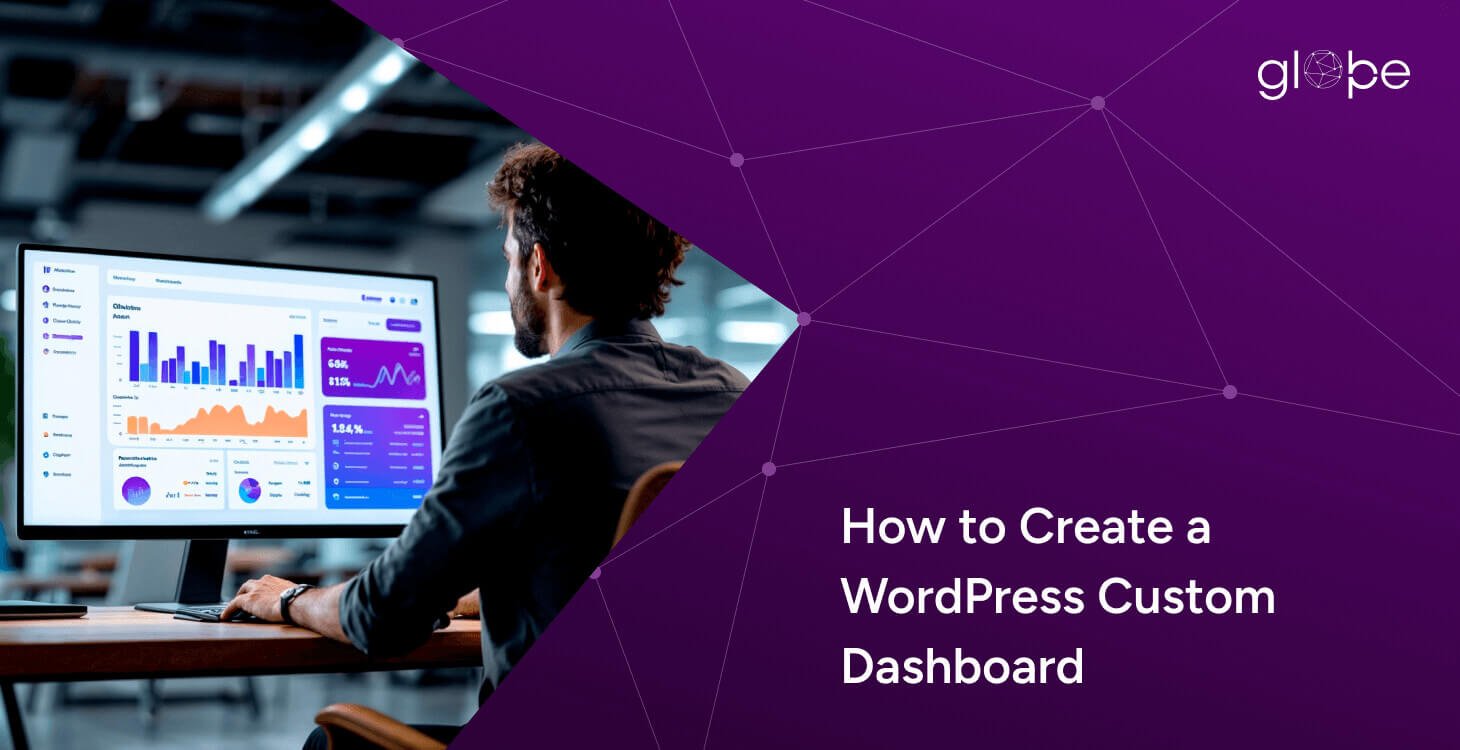
A WordPress custom dashboard is a tailored admin interface that replaces or enhances the default WordPress backend with business-specific views, data modules, and functionality. Instead of generic menus and widgets, users see dashboards designed around their roles, responsibilities, and decision-making needs.
Unlike the standard WordPress admin panel, which shows the same interface to almost every user, a custom dashboard allows businesses to:
- Display only relevant data and tools
- Create role-based views for admins, managers, teams, or clients
- Integrate real-time data from internal systems, CRMs, analytics tools, or APIs
- Simplify workflows and reduce dependency on technical teams
For enterprises, this means WordPress evolves beyond content publishing into a custom operational platform. Sales teams can view performance metrics, managers can track KPIs, and executives can access high-level reports—all from a secure, centralized dashboard built on WordPress.
More importantly, a well-designed WordPress custom dashboard for business focuses on clarity, usability, and scalability. It eliminates unnecessary complexity, improves efficiency, and ensures that decision-makers always have access to accurate, actionable insights.
Why Business Owners & Enterprises Need a Custom WordPress Dashboard
As businesses scale, managing operations through scattered tools, spreadsheets, and generic admin panels becomes inefficient and risky. Business owners and enterprise teams need clarity, control, and real-time visibility—something the default WordPress dashboard simply isn’t designed to provide.
A custom WordPress dashboard addresses these challenges by aligning technology with business objectives, not just content management.
Centralized Business Data in One Place
Enterprises rely on data from multiple sources—sales platforms, CRMs, analytics tools, internal systems, and third-party APIs. A custom WordPress dashboard consolidates this data into a single, unified interface, eliminating the need to switch between tools.
This centralized view helps leadership teams:
- Monitor key performance indicators (KPIs)
- Identify trends and bottlenecks quickly
- Make data-driven decisions with confidence
Instead of raw data, stakeholders get actionable insights.
Role-Based Access for Better Control & Security
Not every user needs access to the same information. With a custom dashboard, businesses can create role-based dashboards that show only what each user needs to see.
For example:
- Executives view high-level performance metrics
- Managers access operational and team-specific data
- Staff members interact only with task-relevant modules
- Clients or partners see limited, secure reports
This approach improves usability while strengthening data security and compliance—a critical requirement for enterprises.
Improved Productivity & Operational Efficiency
A cluttered backend slows teams down. Custom dashboards streamline workflows by removing unnecessary menus, plugins, and options from the admin area.
The result:
- Faster onboarding for non-technical users
- Reduced training and support costs
- Higher productivity across teams
Business users can focus on decisions and execution, not navigating complex systems.
Scalable Foundation for Business Growth
What works for a small team often fails at the enterprise level. A custom WordPress dashboard is built with scalability in mind, allowing businesses to add new data sources, dashboards, and features as requirements evolve.
Whether launching new departments, expanding operations, or integrating advanced reporting, a well-architected dashboard ensures WordPress grows with the business, not against it.
Better Decision-Making With Real-Time Insights
Static reports and delayed data limit business agility. Custom dashboards can deliver real-time or near real-time data, helping decision-makers respond quickly to performance changes, opportunities, or risks.
This real-time visibility is especially valuable for:
- Sales and revenue tracking
- Operational performance monitoring
- Customer behavior analysis
For enterprises, speed and accuracy often define competitive advantage.
How to Create a WordPress Custom Dashboard (Step-by-Step for Businesses & Enterprises)
Creating a WordPress custom dashboard is not just a development task—it’s a business system design process. For enterprises, the goal isn’t to display more data, but to surface the right insights that support faster decision-making, operational clarity, and long-term scalability.
A successful dashboard balances business objectives, user experience, security, and performance. The steps below outline an enterprise-grade approach to building a custom WordPress dashboard that delivers real value—beyond basic admin customization.
Step 1: Define Business Objectives, KPIs & Dashboard Scope
Every effective dashboard starts with clear business goals. Before writing code or selecting tools, enterprises must define what the dashboard is expected to achieve and who it is built for.
Key questions to answer at this stage include:
- What decisions should this dashboard support?
- Which metrics truly matter to the business?
- Who will use the dashboard daily, weekly, or occasionally?
- Is the dashboard operational, analytical, or executive-level?
Identify Business-Critical KPIs
Instead of tracking vanity metrics, enterprises should focus on key performance indicators (KPIs) that align with revenue, efficiency, growth, and risk management. These may include:
- Sales and revenue performance
- User engagement or customer activity
- Operational efficiency metrics
- Marketing or conversion performance
A custom WordPress dashboard should translate raw data into clear, actionable insights, not just charts and numbers.
Define the Dashboard Scope Early
Scope clarity prevents overengineering and future rework. Enterprises should decide:
- Which data sources will be included initially
- Which features are essential for launch vs future phases
- How often data needs to be updated (real-time vs scheduled)
This phased approach ensures the dashboard remains scalable and cost-efficient while allowing room for expansion as business needs evolve.
Step 2: Identify User Roles, Access Levels & Data Visibility
Once business goals and KPIs are defined, the next critical step is determining who will access the dashboard and what they are allowed to see. For enterprises, role-based access is not optional—it’s essential for security, usability, and compliance.
A custom WordPress dashboard allows you to go far beyond default user roles by creating tailored dashboard experiences for each stakeholder group.
Define Dashboard Users by Responsibility
Instead of generic roles, enterprises should map users based on real-world responsibilities, such as:
- Business owners or executives
- Department managers
- Sales or operations teams
- Analysts or reporting users
- External clients or partners
Each group interacts with data differently, and a single dashboard layout rarely fits all.
Implement Role-Based Dashboard Views
With role-based dashboards, users see only the data and tools relevant to their function. This approach:
- Reduces cognitive overload
- Prevents accidental data exposure
- Improves overall user experience
For example, executives may view high-level summaries and trends, while operational teams access detailed reports and task-specific modules.
Strengthen Data Security & Compliance
Limiting access to sensitive information is especially important for enterprises handling financial, customer, or proprietary data. Custom dashboards can enforce:
- Capability-based permissions
- Restricted access to specific widgets or reports
- Secure API data visibility per role
This ensures data privacy, regulatory alignment, and internal governance without compromising usability.
Step 3: Choose the Right Dashboard Architecture & Development Approach
Once business goals and user roles are clearly defined, the next critical decision is selecting the right technical architecture for the WordPress custom dashboard. This choice directly impacts performance, scalability, security, and long-term maintainability.
For enterprises, this step separates short-term solutions from future-ready platforms.
Evaluate Dashboard Development Approaches
There are three common approaches to building a WordPress custom dashboard, each with different implications.
Plugin-Based Dashboards: Fast Setup, Limited Control
Plugins can help deliver basic dashboard functionality quickly. They are often used for:
- Simple reporting needs
- Small internal teams
- Short-term use cases
However, for enterprises, plugin-based dashboards often introduce challenges such as:
- Limited customization aligned with business logic
- Performance issues with growing data volumes
- Dependency on third-party updates and roadmaps
- Reduced control over security and data handling
This approach may reduce initial effort but often increases long-term risk and technical debt.
Hybrid Approach: Balanced but Requires Planning
A hybrid model combines reliable plugins with custom development. This approach can be effective when:
- Standard features are reused strategically
- Custom logic is built around core business workflows
- Performance and security are carefully controlled
While more flexible than plugins alone, hybrid dashboards still require strong architectural discipline to avoid complexity over time.
Fully Custom Dashboard Development: Enterprise-Preferred
For enterprises with complex workflows, integrations, and compliance requirements, fully custom dashboard development offers the highest level of control.
Benefits include:
- Architecture aligned with business processes
- Optimized performance for large datasets
- Custom security and access control layers
- Long-term scalability without vendor lock-in
Step 4: Design a UX-Focused Dashboard Experience for Business Users
A dashboard’s success depends not only on what data it shows, but how easily users can interpret and act on that data. For business owners and enterprise teams, usability directly affects adoption and ROI.
Design With Decision-Making in Mind
Enterprise dashboards should:
- Highlight critical KPIs first
- Use clear visual hierarchy and spacing
- Avoid unnecessary complexity
The goal is to reduce time-to-insight, not impress with visuals.
Build Role-Specific Dashboard Experiences
Different users require different perspectives. A well-designed custom dashboard:
- Presents simplified views for executives
- Offers operational depth for managers
- Provides task-focused interfaces for teams
This approach improves efficiency and minimizes errors caused by information overload.
Ensure Responsiveness & Accessibility
Enterprise users access dashboards across devices and environments. UX design should account for:
- Consistent experience on desktops and tablets
- Readable data visualization across screen sizes
- Accessibility best practices for inclusive usage
A responsive, accessible dashboard ensures organization-wide adoption.
Step 5: Develop Custom Dashboard Widgets & Modular Components
Custom widgets are the functional core of a WordPress custom dashboard. Each widget should exist to answer a specific business question or support a defined workflow.
Build Purpose-Driven, Modular Widgets
Effective enterprise widgets include:
- KPI summaries and trend indicators
- Operational status modules
- Alerts and exception reporting
- User or system activity insights
A modular architecture allows enterprises to evolve the dashboard without rebuilding it.
Optimize Data Processing at the Source
To maintain performance and accuracy:
- Business logic should run server-side
- Data should be filtered based on user roles
- Widgets should load only required information
This ensures stability as data volume and usage increase.
Plan for Future Expansion
Well-architected widgets allow businesses to:
- Add new KPIs and departments
- Integrate additional data sources
- Refine insights as strategies evolve
This flexibility protects long-term investment.
Step 6: Integrate External Tools, APIs & Business Systems
Enterprise dashboards gain real power when they consolidate data from multiple business platforms into one trusted interface.
Identify High-Impact Integrations
Instead of integrating every available system, enterprises should focus on platforms that:
- Influence strategic decisions
- Support revenue, operations, or customer experience
- Require frequent cross-team access
Common examples include CRMs, analytics platforms, ERP systems, and internal tools.
Control Data Flow & Synchronization
Enterprise-grade integrations require:
- Defined data refresh cycles
- Validation before visualization
- Clear ownership of each data source
This prevents inconsistencies and maintains trust in dashboard insights.
Position WordPress as a Central Operations Layer
With structured integrations, WordPress functions as a business interface, not just a website backend—connecting teams to insights without forcing tool switching.
Step 7: Implement Security, Performance & Scalability at an Enterprise Level
Security and performance are foundational pillars of enterprise dashboards. This step ensures the dashboard is reliable, compliant, and future-ready.
Enforce Layered Access Control
Beyond default WordPress roles, enterprises require:
- Capability-based permissions
- Role-specific data exposure
- Secure authentication and authorization flows
Each interaction with dashboard data should be validated.
Protect Sensitive Data End-to-End
Enterprise dashboards must safeguard data through:
- Secure API communication
- Server-side validation
- Controlled exposure of sensitive metrics
This minimizes risk while maintaining usability.
Engineer for Performance Under Growth
Performance strategies include:
- Optimized database queries
- Intelligent caching
- Efficient handling of large datasets
Scalability planning ensures the dashboard remains responsive as usage expands.
Step 8: Test, Validate & Prepare for Enterprise Adoption
Before launch, dashboards must be validated not only technically, but operationally.
Validate Business Logic & Data Accuracy
Testing should confirm:
- KPI accuracy across roles
- Proper access control enforcement
- Alignment with business definitions
This ensures the dashboard reflects real operational truth.
Conduct Stakeholder & User Validation
Involving stakeholders early helps:
- Improve usability
- Align insights with expectations
- Reduce resistance during rollout
Enable Adoption Through Training & Documentation
Clear documentation and onboarding:
- Accelerate user adoption
- Reduce internal support dependency
- Ensure consistent usage across teams
Step 9: Ongoing Optimization, Governance & Business Scaling
A WordPress custom dashboard is a long-term business asset, not a one-time deliverable.
Continuously Align With Business Evolution
As enterprises grow, dashboards must adapt by:
- Supporting new KPIs
- Adding departments or regions
- Integrating new systems
This prevents obsolescence.
Establish Governance & Maintenance Processes
Long-term success depends on:
- Regular performance monitoring
- Security updates and audits
- Controlled feature expansion
Governance ensures stability while enabling innovation.
Why Choose Glopbe for WordPress Custom Dashboard Development
Building a WordPress custom dashboard for business or enterprise use requires more than technical execution. It demands a deep understanding of business workflows, data architecture, security, and long-term scalability. This is where Glopbe differentiates itself—not as a plugin implementer, but as a strategic WordPress development partner.
Business-First Dashboard Strategy, Not Just Development
At Glopbe, every custom dashboard project begins with business discovery, not code. We work closely with stakeholders to understand:
- Decision-making processes
- Operational bottlenecks
- Data dependencies across teams
This ensures that every dashboard we build is aligned with real business objectives, not generic feature sets.
Enterprise-Grade Custom Development Approach
Glopbe specializes in fully custom WordPress dashboard development tailored for enterprises and growing businesses. Our approach focuses on:
- Custom architecture designed around business logic
- Clean, modular development for long-term flexibility
- Scalable foundations that grow with your organization
This eliminates the limitations and technical debt often introduced by over-reliance on plugins.
Secure, Scalable & Performance-Optimized Dashboards
Enterprise dashboards often handle sensitive data and high-volume usage. Glopbe prioritizes:
- Role-based access control and data isolation
- Secure API integrations and data validation
- Performance optimization for large datasets
Our dashboards are built to remain fast, stable, and secure as business complexity increases.
Seamless Integration With Business Systems
From CRMs and analytics platforms to internal tools and APIs, Glopbe ensures your WordPress dashboard functions as a central operations interface. We design integrations that:
- Maintain data accuracy and consistency
- Reduce tool fragmentation across teams
- Support informed, real-time decision-making
Long-Term Support, Optimization & Governance
We don’t treat dashboards as one-time deliverables. Glopbe provides:
- Ongoing optimization and performance monitoring
- Security updates and scalability planning
- Feature expansion aligned with business growth
This long-term partnership approach ensures your dashboard remains a valuable business asset, not a maintenance burden.
Trusted by Businesses Looking to Scale With WordPress
Enterprises choose Glopbe because we combine strategic thinking, technical expertise, and WordPress specialization. Our dashboards help organizations:
- Improve operational visibility
- Reduce manual reporting efforts
- Make faster, data-driven decisions
Ready to Build a Custom WordPress Dashboard for Your Business?
If your organization needs a secure, scalable, and business-focused WordPress custom dashboard, Glopbe can help. Our team designs and develops dashboards tailored to enterprise needs—built for performance today and growth tomorrow.
Final Thoughts: Turning WordPress Into an Enterprise-Ready Dashboard Platform
Building a WordPress custom dashboard is more than a technical exercise—it’s a strategic investment in your business operations. When designed with careful attention to business objectives, user roles, secure architecture, and scalable integrations, a dashboard transforms WordPress from a simple content management system into a centralized platform for decision-making, reporting, and operational efficiency. For enterprises, this means access to actionable insights at a glance, streamlined workflows, and a system that grows alongside the organization.
The real value of a custom dashboard lies in its ability to align technology with business needs. A thoughtfully built solution ensures that stakeholders—from executives to operational teams—see the data they need, when they need it, without unnecessary complexity. Poorly planned dashboards, on the other hand, create friction, slow down adoption, and can even compromise data security. This is why a strategic, enterprise-focused approach to design and development is critical.
Partnering with an experienced team like Glopbe ensures your WordPress dashboard is not only functional but also future-proof, secure, and performance-optimized. By combining deep technical expertise with an understanding of business processes, Glopbe builds dashboards that empower enterprises to make faster, smarter decisions while maintaining long-term scalability. If you’re ready to turn WordPress into a powerful business intelligence platform, working with the right development partner is the first step toward sustainable growth.