
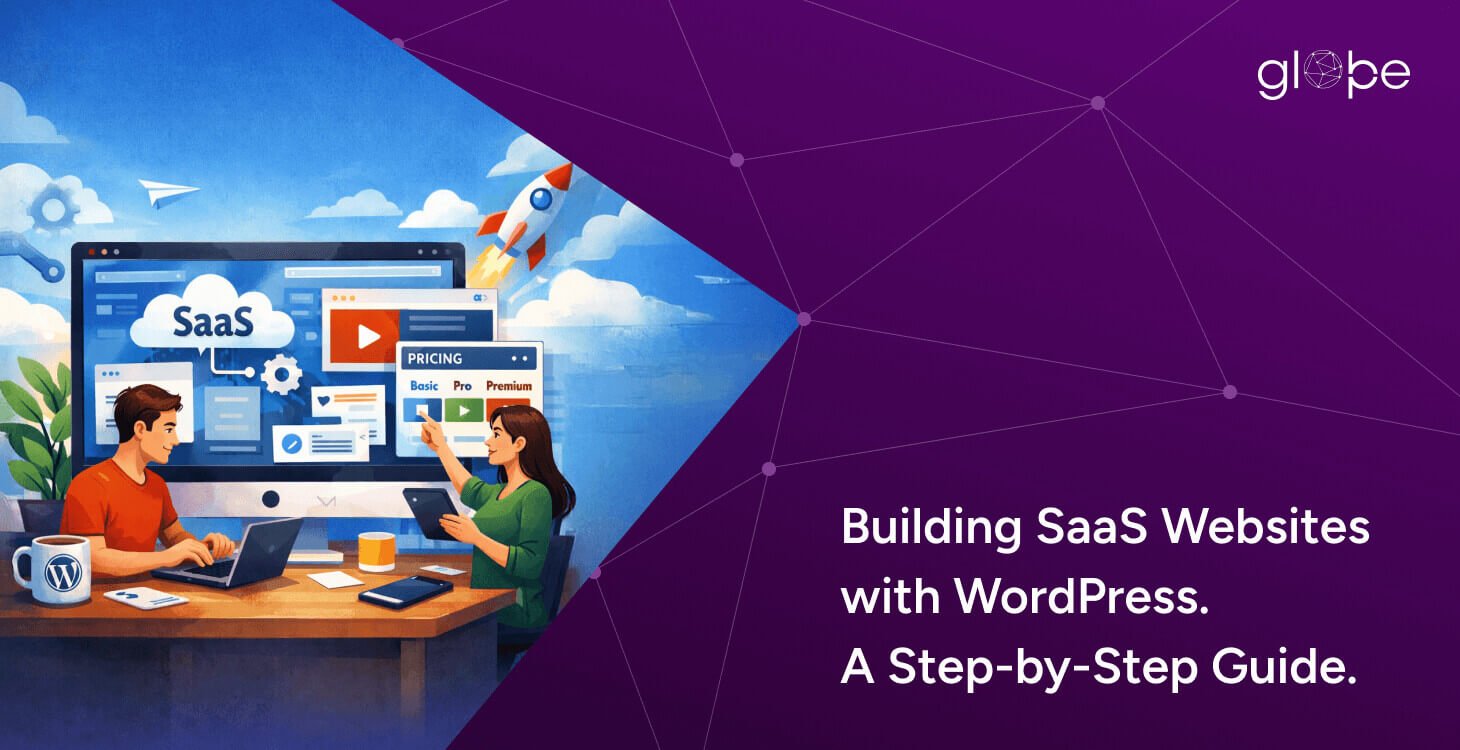
The SaaS market continues to grow rapidly, and with it comes the need for high-performing, scalable, and conversion-focused websites. For SaaS founders and business owners, a website is no longer just a digital brochure—it is a critical growth engine responsible for lead generation, onboarding, product education, and trust building.
While many still associate WordPress only with blogging, the reality in 2026 is very different. Today, WordPress powers complex, performance-driven websites for SaaS startups, enterprise platforms, and product-led growth companies. When built correctly, it offers the flexibility, speed, and scalability that SaaS businesses need—without the heavy development overhead of custom frameworks for every requirement.
This step-by-step guide is designed specifically for SaaS product owners and business decision-makers who want to build or improve a SaaS website using WordPress. You’ll learn how to plan the right architecture, optimize performance, integrate essential tools, and scale confidentlywhile avoiding the common mistakes that limit growth. Whether you’re launching an MVP or refining an established SaaS platform, this guide will help you make informed, future-ready decisions.
What Is a SaaS Website? (And Why It’s Different)
A SaaS website is fundamentally different from a traditional business website. Its primary role goes beyond showcasing services—it must educate users, drive conversions, support onboarding, and integrate seamlessly with the SaaS product itself.
Most SaaS websites consist of two closely connected layers. The first is the marketing and acquisition layer, which includes landing pages, feature pages, pricing, blogs, and lead capture forms. This is where WordPress excels, providing strong SEO capabilities, flexible content management, and high-conversion design options. The second layer is the SaaS application layer, which handles core product functionality such as dashboards, user accounts, data
processing, and subscriptions—often built using custom backend technologies.
What makes SaaS websites unique is their need for scalability, performance, and clarity. Visitors must quickly understand the product’s value, see real use cases, and move smoothly toward a demo, free trial, or signup. At the same time, the website must support integrations with CRMs, analytics tools, payment systems, and customer communication platforms.
This is why SaaS websites require a strategic technical approach. When WordPress is used correctly—as a powerful front-end and marketing foundation—it becomes an essential part of the SaaS growth ecosystem rather than a limitation.
Why WordPress Is a Smart Choice for SaaS Websites
For many SaaS founders, the first question is whether WordPress is capable of supporting a modern, scalable SaaS business. The short answer is yes—when used strategically. WordPress is not meant to replace your SaaS application backend, but it excels as a powerful front-end, marketing, and content platform.
One of the biggest advantages of WordPress is its speed to market. SaaS businesses often need to launch quickly, validate ideas, and iterate based on user feedback. WordPress allows founders to build professional websites, landing pages, and onboarding flows faster than most custom-built solutions, without compromising quality.
From a cost perspective, WordPress is highly budget-efficient, especially during early and growth stages. Its open-source nature reduces licensing costs, while still allowing deep customization through custom development. This makes it ideal for SaaS startups that want flexibility without locking themselves into expensive proprietary platforms.
WordPress also shines in SEO and content-driven growth, which are critical for SaaS businesses. Blogs, feature pages, comparison pages, and educational resources play a major role in organic acquisition. With WordPress, managing SEO, publishing content, and optimizing for search engines becomes far more streamlined compared to custom frameworks.
Another key benefit is integration readiness. SaaS websites rarely operate in isolation—they rely on CRMs, analytics tools, marketing automation platforms, payment gateways, and customer support systems. WordPress integrates easily with most SaaS tools and APIs, allowing your website to act as a central hub for lead capture and user engagement.
However, the real value comes when WordPress is used with the right architecture. Instead of forcing WordPress to behave like a full SaaS application, successful businesses use it as a flexible, high-performance layer that supports growth, conversions, and scalability—while the core product logic runs separately.'
Step by Step Guide for Building SaaS Websites with WordPress
Step 1 – Planning Your SaaS Website Architecture
Planning the right architecture is the foundation of a successful SaaS website. Before design or development begins, it’s essential to define how your website will support business goals, user journeys, and long-term scalability. A well-planned structure ensures your WordPress site works seamlessly as part of your overall SaaS ecosystem, not as a disconnected marketing asset.
Key considerations when planning your SaaS website architecture:
- Clearly define website goals such as lead generation, demos, free trials, and onboarding
- Identify core user personas and create content paths for each audience type
- Decide what belongs in WordPress (marketing, content, SEO) vs your SaaS backend
- Plan a logical sitemap and navigation for easy discovery and conversions
- Align page structure with SEO intent and keyword mapping
- Design conversion-focused user flows toward demos, signups, or contact forms
Step 2 – Choosing the Right Hosting for a SaaS WordPress Site
Hosting plays a critical role in the performance, security, and scalability of a SaaS website. Unlike regular business websites, SaaS platforms must handle higher traffic volumes, integrations, and performance expectations. Choosing the right hosting ensures your WordPress site remains fast, reliable, and ready to grow alongside your SaaS product.
Key factors to consider when selecting hosting for a SaaS WordPress website:
- Avoid shared hosting; opt for managed WordPress or cloud-based hosting
- Ensure high uptime, fast server response times, and scalable resources
- Look for built-in performance features like server-level caching and CDN support
- Prioritize strong security measures, including firewalls, malware scanning, and backups
- Confirm support for staging environments and easy deployments
- Choose hosting that supports API integrations and modern development workflows
Step 3 – Selecting a Lightweight, Scalable WordPress Theme
Your WordPress theme has a direct impact on performance, user experience, and scalability, especially for SaaS websites. A lightweight, well-structured theme ensures faster load times, better Core Web Vitals, and a smoother experience for users evaluating your product. For SaaS businesses, simplicity, flexibility, and performance should always take priority over visual complexity.
Key considerations when choosing a WordPress theme for a SaaS website:
- Choose a lightweight, performance-first theme over heavy multipurpose themes
- Avoid themes with unnecessary animations, scripts, or bundled plugins
- Ensure the theme supports clean code, responsiveness, and accessibility
- Look for flexibility to create custom layouts for feature, pricing, and landing pages
- Confirm compatibility with page builders or custom development approaches
- Prioritize UX clarity to highlight product value, CTAs, and onboarding flows
Step 4 – Choosing Essential Plugins for SaaS Websites
Plugins extend WordPress functionality, but for SaaS websites, less is more. The right set of plugins can improve performance, security, and lead generation, while excessive or poorly chosen plugins can slow down your site and create security risks. A strategic plugin selection ensures your SaaS website remains fast, stable, and easy to maintain.
Essential plugin categories for a SaaS WordPress website:
- Performance and caching plugins to improve speed and Core Web Vitals
- SEO and schema plugins for better search visibility and content optimization
- Security plugins for firewalls, malware scanning, and login protection
- Form and lead capture plugins for demos, trials, and contact requests
- Analytics and tracking tools to monitor user behavior and conversions
- Integration or automation plugins for CRM, email, and SaaS tools
Step 5 – Designing High-Conversion SaaS Pages
Design plays a crucial role in how users understand, trust, and engage with your SaaS product. High-conversion SaaS pages focus less on visual flair and more on clarity, value communication, and user flow. Every page should guide visitors toward a clear action—whether it’s booking a demo, starting a free trial, or requesting more information.
Key elements of high-conversion SaaS page design:
- Create a clear, benefit-driven homepage that explains your product quickly
- Design dedicated feature and use-case pages instead of generic descriptions
- Optimize pricing pages with transparent plans, comparisons, and FAQs
- Use strong, action-oriented CTAs for demos, trials, or consultations
- Add trust signals such as testimonials, case studies, and security badges
- Ensure mobile-friendly layouts and fast load times across all pages
Step 6 – Integrating SaaS Tools and Third-Party Services
A SaaS website rarely operates in isolation. Integrating the right tools and services ensures smooth lead capture, user engagement, analytics, and payment processing. Proper integrations allow WordPress to act as a central hub while your SaaS application handles core functionality.
Key integrations for a SaaS WordPress website:
- CRM systems to manage leads and customer relationships
- Marketing automation tools for email campaigns and drip sequences
- Payment gateways for subscriptions, trials, and purchases
- Analytics tools to track user behavior, conversions, and retention
- Support and communication platforms like live chat or ticketing systems
- API connections to link WordPress with your SaaS backend
Step 7 – Performance Optimization for SaaS Websites
Performance is a critical factor for SaaS websites. Slow-loading pages can reduce conversions, increase bounce rates, and hurt your search rankings. Optimizing your WordPress site ensures that visitors experience a fast, smooth, and responsive website, which is essential for both user trust and SEO.
Key strategies for performance optimization:
- Optimize images and media for faster load times
- Minify CSS, JavaScript, and HTML files
- Use caching solutions and a reliable CDN to serve content efficiently
- Optimize your database and clean unused plugins or themes
- Monitor Core Web Vitals and site speed regularly
- Ensure mobile-first design and responsive performance
Step 8 – Security Best Practices for SaaS WordPress Websites
Security is a top priority for SaaS websites because they often handle sensitive user data, subscriptions, and integrations. A secure WordPress setup protects both your users and your brand reputation, while reducing the risk of downtime or data breaches.
Key security practices for SaaS websites:
- Use strong passwords, two-factor authentication, and role-based access control
- Keep WordPress core, themes, and plugins updated regularly
- Install security plugins for firewalls, malware scanning, and login protection
- Secure APIs and forms to prevent unauthorized access
- Implement regular backups and disaster recovery planning
- Ensure compliance with relevant data protection regulations
Step 9 – SEO Strategy for SaaS Websites Built on WordPress
SEO is essential for SaaS websites to attract organic traffic, generate leads, and support growth. A structured SEO approach ensures your content reaches the right audience while complementing your marketing and conversion goals.
Key SEO strategies for SaaS websites:
- Map keywords to target pages, including features, pricing, and blog content
- Optimize on-page SEO: titles, meta descriptions, headings, and images
- Use schema markup to enhance search visibility and rich results
- Create high-value content such as guides, comparisons, and case studies
- Ensure fast page load speeds and mobile-first design for better rankings
- Implement internal linking to guide visitors and boost SEO authority
Step 10 – Scaling Your SaaS Website as Your Business Grows
As your SaaS business grows, your WordPress website must scale to handle more traffic, users, and integrations without compromising performance or user experience. Planning for scalability early ensures long-term reliability and smooth growth.
Key considerations for scaling a SaaS WordPress website:
- Use hosting that supports increased traffic and resource scaling
- Optimize databases and implement caching for faster performance
- Consider headless or decoupled WordPress architecture for complex setups
- Add multi-language or multi-region support for global audiences
- Regularly review plugins and integrations to avoid performance bottlenecks
- Continuously monitor analytics and user behavior to guide growth decisions
Final Thoughts: WordPress as a Growth Engine for SaaS Businesses
WordPress is more than just a content management system—it’s a powerful foundation for SaaS websites, enabling startups and established businesses to showcase their products, generate leads, and drive growth. When used strategically, it combines flexibility, performance, and scalability, allowing your SaaS marketing site to evolve alongside your product.
The key to success lies in thoughtful planning and expert execution. From architecture and design to integrations, security, and SEO, every decision impacts performance, user experience, and conversions. A carefully structured WordPress setup ensures your website not only attracts traffic but also converts visitors into paying users.
Balancing flexibility, performance, and scalability is essential. By leveraging the right themes, plugins, hosting, and optimization strategies, WordPress can support both your current needs and future growth without unnecessary complexity or overhead.
If you’re ready to take your SaaS website to the next level, consider working with experienced WordPress developers who specialize in SaaS websites. At Glopbe, we help businesses build high-performance, scalable, and conversion-focused SaaS sites designed for long-term growth. Contact us today to discuss your project and see how we can bring your SaaS vision to life.