
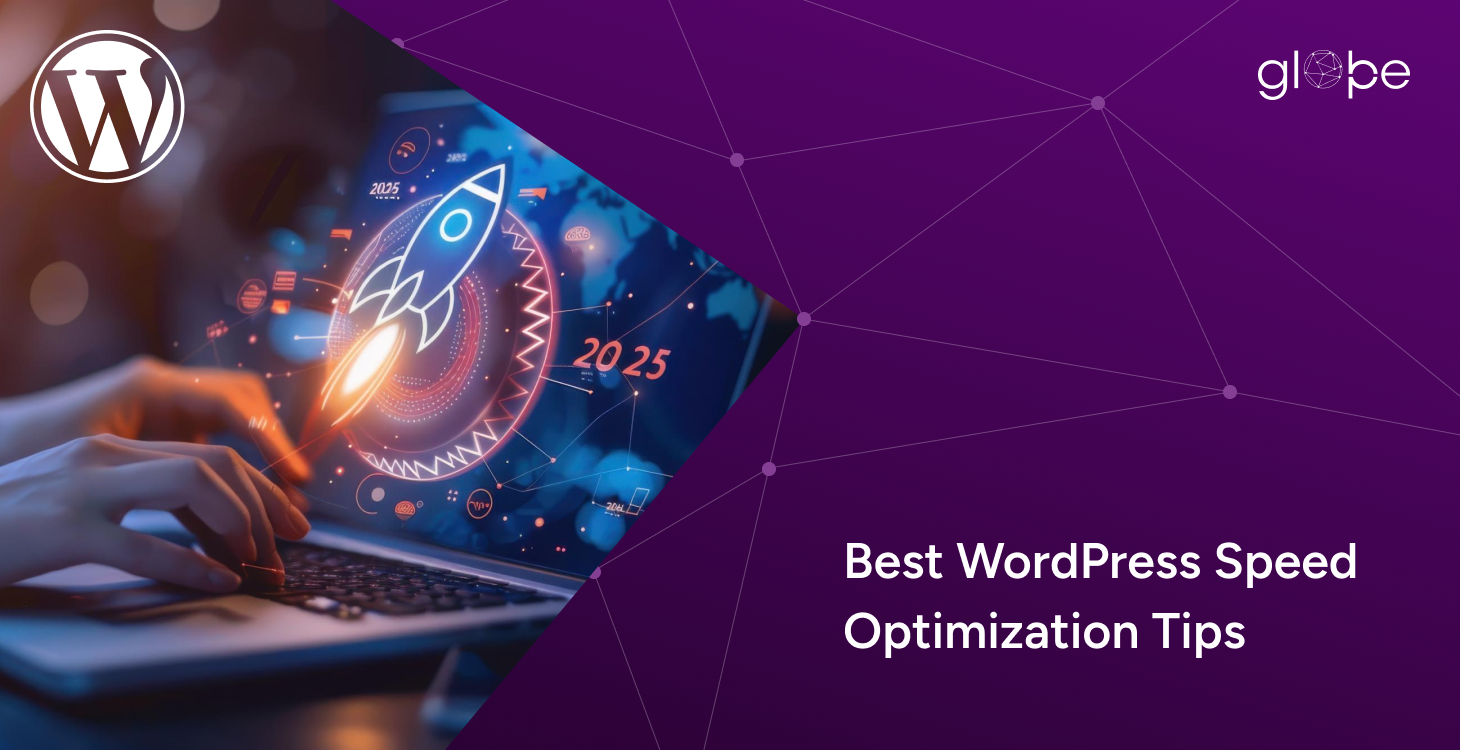
Website speed plays a critical role in how users experience a WordPress website. Visitors expect pages to load quickly, respond instantly, and remain stable as they interact with content. When a site feels slow or unresponsive, users leave early, engagement drops, and trust is lost before any conversion happens.
Speed also has a direct impact on search engine visibility. Google uses performance signals to evaluate both user experience and ranking potential. Core Web Vitals now measure how fast a page loads, how quickly users can interact with it, and how stable the layout remains during loading. For WordPress websites, these metrics are no longer optional benchmarks. They are essential indicators of quality and usability.
Many site owners attempt to fix performance issues by installing one or two optimization plugins. While plugins can improve specific areas, they rarely address the underlying causes of slow performance. WordPress speed problems often come from a combination of inefficient server configuration, heavy themes, excessive JavaScript, database overhead, and poorly managed third-party scripts. Without a structured approach, speed gains remain limited and inconsistent.
Effective WordPress speed optimization requires looking at performance as a system. Core Web Vitals, server-level optimization, frontend rendering, and backend processes all work together to determine how fast a website feels to real users. Improving one area while ignoring others usually leads to partial results.
we help businesses optimize WordPress websites using a performance-first methodology focused on real bottlenecks and long-term scalability. This guide outlines advanced WordPress speed optimization techniques used in professional environments and serves as a foundation for deeper topics such as Core Web Vitals optimization and server-level performance strategies covered throughout this pillar resource.
How WordPress Speed Impacts SEO, UX, and Business Growth
WordPress speed affects more than how fast a page loads. It shapes how users experience a website, how search engines evaluate it, and how effectively it supports business goals. Performance issues often show up as lost traffic, lower engagement, and missed revenue opportunities.
Page Speed vs Perceived Speed
Page speed refers to how quickly a WordPress page loads from a technical standpoint. Perceived speed is how fast the site feels to users. A website may finish loading in the background, but if important content appears late or interactions are delayed, users still experience it as slow.
Perceived speed is heavily influenced by how content is rendered. Elements such as the main heading, hero image, navigation, and call-to-action should appear quickly and remain stable. Optimizing for perceived speed improves user satisfaction and reduces frustration, even before a page fully loads.
Bounce Rate, Dwell Time, and Conversions
Slow WordPress websites increase bounce rates. Users are less likely to wait for content to load, especially on mobile devices and slower connections. When visitors leave early, dwell time decreases and engagement signals weaken.
Speed also impacts conversions directly. Forms, checkout pages, and interactive elements must respond instantly to user actions. Delays in interaction or layout shifts during loading reduce trust and interrupt the conversion flow. A faster WordPress website keeps users engaged longer and creates a smoother path from visit to action.
Impact on Mobile-First Indexing
Google primarily evaluates WordPress websites using mobile-first indexing. This means performance on mobile devices plays a major role in how pages are ranked. Mobile users are more sensitive to slow load times, heavy scripts, and unstable layouts.
A WordPress site that performs well on desktop but struggles on mobile often loses search visibility. Optimizing speed with mobile performance in mind ensures faster loading, better interaction responsiveness, and improved stability across devices. This directly supports stronger SEO performance and higher user satisfaction.
Speed as a Competitive Advantage
In competitive markets, website speed can be a deciding factor. When multiple WordPress websites offer similar content or services, users tend to stay with the one that feels faster and easier to use. Speed creates a smoother experience, builds trust, and increases the likelihood of repeat visits.
From a business perspective, performance optimization delivers long-term value. Faster websites convert better, scale more efficiently under traffic, and require fewer reactive fixes. Treating WordPress speed optimization as a strategic investment rather than a quick fix gives businesses a clear advantage in search results and user engagement.
Understanding Core Web Vitals for WordPress Websites
Core Web Vitals are a set of performance metrics defined by Google to measure real user experience. For WordPress websites, these signals help determine how fast a page loads, how responsive it feels, and how stable the layout remains during interaction. Optimizing Core Web Vitals is no longer just about improving scores. It is about delivering a smoother and more reliable experience to users across devices.
Largest Contentful Paint (LCP)
Largest Contentful Paint measures how long it takes for the main content of a page to become visible. On most WordPress websites, this is often a hero image, featured image, or primary content block. A slow LCP creates the impression that a page is still loading, even if other elements appear earlier.
Server response time plays a major role in LCP performance. If the hosting environment is slow or poorly configured, content delivery is delayed before the browser can even start rendering the page. Optimizing server-level performance helps reduce initial delays and improves how quickly content appears.
Image delivery also directly affects LCP. Large images, unoptimized formats, or images loaded from slow sources increase load times. Using properly sized images, modern formats, and efficient delivery methods ensures the largest visual element loads quickly without blocking other content.
Theme and layout choices influence LCP as well. Heavy themes with complex layouts, excessive scripts, or large above-the-fold assets often delay rendering. A performance-focused WordPress theme with clean structure allows the main content to load faster and more predictably.
Interaction to Next Paint (INP)
Interaction to Next Paint measures how quickly a WordPress website responds when users interact with it. This includes clicking buttons, opening menus, submitting forms, or adding products to a cart. Poor INP leads to noticeable delays between user actions and visual feedback.
JavaScript execution is a common cause of INP issues. Large scripts, blocking tasks, or poorly optimized code can delay how quickly the browser responds to interactions. Reducing unnecessary JavaScript and prioritizing critical scripts improves responsiveness.
Plugin behavior also impacts INP. Some plugins add heavy scripts or run complex processes on user interaction. When multiple plugins compete for resources, delays increase. Evaluating plugin performance and removing inefficient functionality helps maintain smooth interaction.
Event handling plays a key role in responsiveness. Improperly managed event listeners or excessive DOM manipulation can slow down interaction response times. Optimizing how events are handled ensures faster feedback and a more responsive user experience.
Cumulative Layout Shift (CLS)
Cumulative Layout Shift measures how much a page layout moves unexpectedly while loading. Layout shifts can cause users to click the wrong elements, lose their place, or feel that the website is unstable.
Fonts are a common source of layout shifts on WordPress websites. When fonts load late or are not reserved properly, text may resize or reposition after the page starts rendering. Preloading fonts and defining font display behavior helps prevent sudden shifts.
Ads and embedded content can also increase CLS. If ad spaces or embeds load without predefined dimensions, the layout adjusts when they appear. Allocating fixed space for these elements keeps the page stable during loading.
Dynamic content loading is another contributor to CLS. Content injected after the initial render, such as banners or notifications, can push existing elements out of place. Managing dynamic content carefully ensures layout stability and improves overall user experience.
Identifying Real WordPress Performance Bottlenecks
Improving WordPress speed starts with identifying what actually slows a website down. Performance issues rarely come from a single cause. In most cases, they result from multiple bottlenecks working together across the theme, plugins, server, and database. Without understanding these root problems, optimization efforts often produce limited or temporary results.
Theme Inefficiencies
A WordPress theme controls how content is structured and rendered. Poorly built themes often include unnecessary features, heavy scripts, oversized stylesheets, and complex layouts that slow down page rendering. Visual builders and multipurpose themes can add significant overhead, especially when they load assets that are not required for every page.
Performance-focused themes use clean code, minimal dependencies, and efficient layouts. Choosing or optimizing a theme with speed in mind reduces the workload on both the server and the browser, leading to faster load times and better user experience.
Plugin Overload vs Poor-Quality Plugins
The number of plugins installed is not always the main issue. The real problem is how plugins are built and how they interact with each other. A few poorly optimized plugins can cause more damage than a larger set of lightweight, well-maintained ones.
Some plugins load scripts and styles globally, even when they are not needed. Others perform heavy database queries or run background tasks on every page load. Identifying plugins that consume excessive resources and replacing or optimizing them is a key step in WordPress speed optimization.
Render-Blocking Assets
Render-blocking assets delay how quickly content appears on the screen. These typically include CSS and JavaScript files that must load before the browser can display the page. When too many assets are loaded upfront, users experience slow perceived speed even if the page eventually loads.
Optimizing how and when assets are loaded helps improve both perceived and actual performance. Prioritizing critical resources and deferring non-essential files allows the most important content to appear faster.
Third-Party Scripts
Third-party scripts are a common and often overlooked source of performance issues. Analytics tools, marketing pixels, chat widgets, and embedded media can add significant load time and increase JavaScript execution.
Each external script introduces additional network requests and processing overhead. Managing third-party scripts carefully, limiting their usage, and loading them only when necessary helps maintain better performance and interaction responsiveness.
Database Bloat
Over time, WordPress databases accumulate unnecessary data. Post revisions, expired transients, unused options, and plugin-generated records can increase query times and slow down page loads.
Database bloat affects both frontend performance and backend operations. Regular database optimization and cleanup reduce overhead and improve how quickly data can be retrieved, especially on content-heavy or high-traffic websites.
Hosting and Server Misconfigurations
Hosting and server configuration play a major role in WordPress performance. Inadequate server resources, outdated PHP versions, misconfigured caching, or lack of object caching can create significant bottlenecks.
Even well-optimized themes and plugins struggle to perform on poorly configured servers. Addressing server-level issues such as response time, caching layers, and resource allocation provides a strong foundation for all other optimization efforts.
Server-Level WordPress Speed Optimization
Server-level optimization forms the foundation of a fast WordPress website. No amount of frontend optimization can compensate for a slow or poorly configured server. When the server responds quickly and processes requests efficiently, every other performance improvement becomes more effective and consistent.
PHP Configuration
WordPress runs on PHP, and how PHP is configured has a direct impact on performance. Using an up-to-date PHP version improves execution speed and memory handling. Older versions often process requests more slowly and lack performance improvements introduced in newer releases.
Proper PHP configuration also includes setting appropriate memory limits, execution time, and process management. PHP-FPM allows the server to handle multiple requests efficiently by managing worker processes intelligently. When PHP resources are tuned correctly, WordPress pages generate faster and handle traffic spikes more smoothly.
Web Servers
The web server controls how requests are received, processed, and delivered to users. Common setups include Apache, NGINX, or a combination of both. Each server handles traffic differently, and configuration plays a major role in performance.
NGINX is often preferred for high-performance WordPress setups due to its ability to manage concurrent connections efficiently. Apache can also perform well when configured correctly. Optimizing server rules, enabling compression, and reducing unnecessary processing help improve response times and overall stability.
Object Caching
Object caching reduces the need to repeatedly query the database for the same information. By storing frequently used data in memory, WordPress can serve content faster and reduce server load.
Persistent object caching solutions such as Redis or Memcached are especially effective for dynamic and high-traffic websites. They improve page generation time, support better scalability, and reduce strain on the database. When implemented properly, object caching delivers noticeable performance improvements across the site.
HTTP Protocols
Modern HTTP protocols improve how data is transferred between the server and the browser. HTTP/2 allows multiple requests to be handled simultaneously over a single connection, reducing load time and improving efficiency. HTTP/3 further enhances performance by reducing latency and improving reliability on unstable networks.
Using the latest HTTP protocols ensures faster content delivery, especially for websites with many assets such as images, scripts, and stylesheets. Combined with proper server configuration, modern protocols help WordPress websites load faster and feel more responsive to users.
Advanced Caching Strategies for WordPress Websites
Caching is one of the most effective ways to improve WordPress speed, but only when it is implemented with a clear strategy. Simply enabling a caching plugin without understanding how content is served often leads to partial improvements or unexpected issues. Advanced caching focuses on delivering the right content, at the right time, from the right location.
Page Caching
Page caching stores pre-generated versions of WordPress pages so they can be served quickly without rebuilding the page on every request. This significantly reduces server load and improves response times for visitors.
Static pages benefit the most from page caching. Pages such as blog posts, service pages, and landing pages do not change frequently, making them ideal candidates for cached delivery. Serving static versions allows WordPress to bypass PHP execution and database queries entirely.
Dynamic pages require a more careful approach. Pages that display user-specific content, such as dashboards, carts, or account areas, cannot always be cached in the same way. Logged-in users often see personalized information, which means caching must be selectively applied to avoid serving incorrect content. Advanced caching strategies handle these scenarios by defining clear rules for when and how pages are cached.
Browser Caching
Browser caching improves performance by storing website assets on the user’s device. When visitors return to a WordPress website, their browser can reuse previously downloaded files instead of requesting them again.
Cache headers control how long assets such as images, stylesheets, and scripts are stored. Properly configured headers reduce unnecessary network requests and improve repeat visit performance. Setting appropriate cache durations ensures assets remain available without becoming outdated.
Asset expiration plays an important role in balancing performance and updates. Static assets that change infrequently can be cached for longer periods, while assets that update regularly should have shorter expiration times. Managing this balance keeps the website fast while ensuring users always see the latest content.
CDN and Edge Caching
Content Delivery Networks improve WordPress performance by distributing content across multiple geographic locations. When users access a website, content is delivered from the nearest server, reducing latency and improving load times.
Edge caching takes this a step further by caching content closer to users at the network edge. This reduces the time it takes for requests to reach the origin server and significantly lowers Time to First Byte. For global or high-traffic WordPress websites, edge caching provides faster delivery and more consistent performance across regions.
Frontend Optimization (CSS, JavaScript, Images and Fonts)
Frontend optimization focuses on how assets are delivered and rendered in the browser. Even with a fast server, poorly optimized frontend resources can slow down page rendering and affect perceived speed. Optimizing CSS, JavaScript, images, and fonts ensures that critical content loads quickly and interactions remain smooth.
JavaScript Optimization
JavaScript plays a major role in modern WordPress websites, but excessive or poorly managed scripts often cause performance issues. Large scripts can block rendering, delay interactions, and negatively affect Core Web Vitals.
Defer and async loading determine when JavaScript files are executed. Deferred scripts load after the main content, allowing pages to render faster. Async scripts load independently, but can execute at unpredictable times. Choosing the right approach depends on whether a script is critical to the initial page load or can wait until later.
Removing unused JavaScript reduces the amount of code the browser must process. Many themes and plugins load scripts that are not required on every page. Identifying and eliminating unnecessary JavaScript improves load times and interaction responsiveness.
Third-party script control is essential for maintaining frontend performance. Marketing tools, analytics, and embedded widgets often introduce heavy scripts. Limiting their usage, loading them conditionally, and prioritizing essential scripts helps reduce overhead and improves overall speed.
CSS Optimization
CSS determines how a WordPress website is displayed, but large stylesheets can delay rendering. Optimizing CSS ensures that the most important styles are applied quickly while non-essential styles load later.
Critical CSS focuses on styling above-the-fold content. By prioritizing critical styles, browsers can render visible content faster without waiting for full stylesheets to load. This improves perceived speed and user experience.
Removing unused styles reduces file size and processing time. Themes and page builders often include styles that are not used across all pages. Cleaning up unused CSS helps streamline rendering and improves performance, especially on mobile devices.
Image and Media Optimization
Images and media files are often the largest assets on a WordPress website. Without optimization, they significantly increase load times and bandwidth usage.
Lazy loading delays the loading of images and media until they are needed. This reduces initial page weight and speeds up the first render. Users see content faster while off-screen images load as they scroll.
Next-generation image formats provide better compression without sacrificing quality. Using modern formats reduces file sizes and improves load times across devices and network conditions.
Responsive images ensure that the correct image size is delivered based on the user’s device and screen resolution. Serving appropriately sized images prevents unnecessary data transfer and improves performance on both desktop and mobile.
Font Optimization
Fonts affect both design and performance. Poor font loading can delay text rendering and cause layout shifts.
Preloading fonts allows the browser to prioritize font files early in the loading process. This reduces delays in text display and improves visual stability.
Self-hosting fonts gives greater control over how fonts are delivered. It eliminates additional requests to external providers and allows better caching and optimization. Proper font management ensures faster text rendering and a more stable layout.
WordPress Database Optimization for Speed and Scalability
The WordPress database plays a central role in how quickly content is retrieved and displayed. As a website grows, database inefficiencies often become hidden performance bottlenecks. Optimizing the database improves query speed, reduces server load, and ensures consistent performance as traffic increases.
Post Revisions and Transients
WordPress automatically stores post revisions and temporary data known as transients. While useful, these records accumulate over time and increase database size. Excessive revisions and expired transients slow down queries and add unnecessary overhead.
Managing revisions responsibly and cleaning up expired transients keeps the database lean. This improves query efficiency and reduces the time it takes to generate pages, especially on content-heavy websites.
Autoloaded Options
Autoloaded data is loaded into memory on every page request. Many plugins store settings as autoloaded options, even when they are not needed for most pages. When this data grows too large, it increases memory usage and slows down page generation.
Reviewing and optimizing autoloaded options helps reduce unnecessary data loading. Keeping only essential options autoloaded improves performance and ensures faster response times.
Cron Jobs and Background Tasks
WordPress relies on scheduled tasks to handle background operations such as publishing posts, sending emails, or syncing data. Poorly configured or excessive cron jobs can run too frequently and consume server resources.
Optimizing scheduled tasks, removing unused jobs, and ensuring tasks run efficiently prevents unnecessary load on the database and server. This results in smoother performance and better scalability under traffic.
WooCommerce and Custom Tables
WooCommerce and other complex plugins add additional database tables and queries. Product catalogs, orders, customer data, and analytics increase database complexity and query volume.
Optimizing WooCommerce database structure, indexing critical tables, and managing order data helps maintain fast performance even as transaction volume grows. For high-traffic or large stores, database optimization becomes essential for stable checkout and browsing experiences.
Plugin Performance Management (Quality Over Quantity)
Plugins are a core strength of WordPress, but they are also a common source of performance problems. Speed issues rarely come from having too many plugins alone. The real impact comes from how plugins are built, how much they load, and how they interact with the rest of the website.
Measuring Plugin Performance Impact
Not all plugins affect performance in the same way. Some add minimal overhead, while others introduce heavy scripts, frequent database queries, or background processes that run on every page load.
Effective plugin performance management starts with measuring impact. This includes identifying plugins that slow down page generation, increase server response time, or add excessive frontend assets. Understanding which plugins consume the most resources helps prioritize optimization efforts instead of making blind removals.
Avoiding Redundant and Overlapping Functionality
Many WordPress websites suffer from overlapping plugin functionality. Multiple plugins may handle similar tasks such as caching, image optimization, security, or analytics. Each additional layer increases complexity and resource usage.
Consolidating functionality into fewer, well-optimized plugins reduces conflicts and improves overall performance. A cleaner plugin stack also makes troubleshooting and future optimization easier.
Conditional Loading and Scope Control
Poorly optimized plugins often load scripts and styles globally, even when they are only needed on specific pages. This increases page weight and slows down rendering across the entire site.
Controlling where and when plugin assets load improves frontend performance. Limiting scripts to relevant pages reduces unnecessary processing and helps maintain faster load times without removing essential functionality.
Maintenance, Updates, and Plugin Quality
Outdated or poorly maintained plugins pose both performance and security risks. Plugins that are not regularly updated may rely on inefficient code or outdated libraries that slow down WordPress websites.
Choosing high-quality plugins with active development and strong performance practices is essential. Regular audits ensure plugins remain necessary, efficient, and compatible with the current WordPress environment.
Speed Optimization for WooCommerce and Dynamic WordPress Websites
WooCommerce and other dynamic WordPress websites present unique performance challenges. Unlike static content sites, they rely heavily on real-time data, user interactions, and personalized content. Optimizing speed in these environments requires careful planning to maintain functionality without sacrificing performance.
Handling Logged-In Users and Personalized Content
Dynamic websites often serve different content to logged-in users. Account pages, dashboards, and personalized recommendations cannot always be cached in the same way as static pages.
Optimizing performance for logged-in users involves selective caching, efficient session handling, and minimizing unnecessary data loading. Properly configured caching rules ensure that personalized content remains accurate while still benefiting from performance improvements where possible.
Cart Fragments and AJAX Requests
WooCommerce uses cart fragments and AJAX requests to keep cart data updated across pages. While this improves user experience, it can also increase server load and slow down page rendering if not managed correctly.
Reducing unnecessary AJAX calls, optimizing how cart data is refreshed, and limiting fragment updates to essential pages helps improve performance without breaking core functionality. This is especially important for mobile users and high-traffic stores.
Checkout Performance Optimization
The checkout process is one of the most critical areas for WooCommerce performance. Delays during checkout increase cart abandonment and directly impact revenue.
Optimizing checkout speed involves reducing scripts, streamlining form handling, and ensuring server resources are available during peak traffic. A fast and responsive checkout experience builds trust and increases conversion rates.
Product Images and Catalog Performance
WooCommerce stores often rely on large product catalogs and high-quality images. Without optimization, these assets can slow down category pages and product listings.
Efficient image delivery, responsive image handling, and optimized database queries ensure that product pages load quickly without compromising visual quality. This improves browsing experience and supports better search visibility.
Tools to Measure and Monitor WordPress Performance
Optimizing WordPress speed is only effective when improvements can be measured and monitored over time. Performance tools help identify bottlenecks, validate changes, and track real-world user experience. However, tools should be used as diagnostic aids, not as goals in themselves.
Lab Data vs Real-World Performance
Performance tools generally fall into two categories: lab data and real-world data. Lab tools simulate page loads under controlled conditions, making them useful for identifying technical issues and testing changes consistently. Real-world data reflects how actual users experience a website across devices, locations, and network conditions.
A fast lab score does not always mean a fast user experience. Effective WordPress speed optimization considers both perspectives to avoid misleading results.
PageSpeed Insights and Lighthouse
PageSpeed Insights and Lighthouse provide detailed reports on Core Web Vitals, accessibility, and performance best practices. These tools highlight issues such as render-blocking resources, JavaScript execution delays, and layout instability.
They are valuable for understanding how Google evaluates a WordPress website and for identifying areas that directly impact search rankings. However, recommendations should be applied carefully, as not every suggestion fits every website architecture.
GTmetrix and WebPageTest
GTmetrix and WebPageTest offer deeper insight into loading behavior, asset timing, and request waterfalls. These tools help visualize how files load, which resources block rendering, and where delays occur during the page lifecycle.
Analyzing waterfall charts and timing breakdowns makes it easier to identify server response issues, heavy assets, and inefficient loading sequences. This level of detail is especially useful for advanced optimization and troubleshooting.
Server and Uptime Monitoring
Server monitoring tools track response time, resource usage, and uptime. They help detect performance degradation caused by traffic spikes, background tasks, or server misconfigurations.
Consistent monitoring ensures that WordPress websites remain stable under load and that performance gains are maintained over time. It also helps identify issues before they impact users or search visibility.
DIY WordPress Speed Optimization vs Professional Optimization
Many WordPress site owners begin performance optimization on their own. Basic fixes, plugins, and online tutorials can deliver quick improvements, especially for small or new websites. However, as a site grows, DIY optimization often reaches clear limits.
Where DIY Optimization Works
DIY optimization is useful for addressing surface-level issues. Caching plugins, image compression, and basic cleanup can improve load times on low-traffic websites with simple setups.
For blogs or brochure-style sites, these steps may be enough to achieve acceptable performance. DIY approaches also help site owners become more aware of how WordPress performance works at a fundamental level.
Limitations of Plugin-Based Fixes
Most DIY solutions rely heavily on plugins. While convenient, plugins cannot solve deeper performance problems related to server configuration, database architecture, or complex frontend behavior.
Over-optimization through multiple plugins can introduce conflicts, break layouts, or create inconsistent results. Without understanding how changes affect the entire system, performance gains may disappear over time or cause new issues.
When Professional Optimization Becomes Necessary
Professional WordPress speed optimization is essential for business-critical websites, high-traffic platforms, and WooCommerce stores. These environments require a deeper approach that includes server tuning, custom caching strategies, database optimization, and frontend performance engineering.
Professionals focus on long-term stability, scalability, and measurable results. Instead of chasing scores, they optimize real user experience and ensure performance improvements remain consistent as traffic grows.
Long-Term Performance and Maintenance
Speed optimization is not a one-time task. WordPress websites evolve through content updates, plugin changes, and traffic growth. Professional optimization includes ongoing monitoring, refinement, and proactive adjustments to maintain performance.
A structured approach reduces technical debt and prevents performance issues from resurfacing. This ensures that WordPress websites remain fast, reliable, and competitive over time.
Glopbe’s Advanced WordPress Speed Optimization Approach
At Glopbe, WordPress speed optimization is treated as an engineering process, not a checklist. Every website has a unique performance profile based on its architecture, traffic patterns, and business goals. Our approach focuses on identifying real constraints, applying targeted optimizations, and validating results through measurable improvements.
Performance Audit and Baseline Analysis
Every optimization project starts with a detailed performance audit. This includes analyzing Core Web Vitals, server response time, frontend asset behavior, database efficiency, and plugin impact. The goal is to establish a clear baseline and identify bottlenecks that actually affect users, not just lab scores.
This audit-driven approach ensures that optimization efforts are focused on high-impact areas rather than generic fixes.
Bottleneck Identification and Strategy Planning
Once performance issues are identified, a structured optimization plan is created. This plan prioritizes fixes based on impact, risk, and scalability. Server configuration, caching layers, frontend delivery, and database behavior are evaluated together to avoid isolated changes that create new issues.
By treating WordPress performance as a system, improvements remain consistent across pages, devices, and traffic conditions.
Server, Frontend, and Database Optimization
Optimization is executed across all critical layers. Server-level tuning improves response time and stability. Frontend optimization ensures faster rendering and smoother interactions. Database improvements reduce query load and support long-term scalability.
Each change is tested to confirm that performance gains are real and that website functionality remains intact.
Testing, Validation, and Real-User Metrics
After implementation, performance improvements are validated using both lab tools and real-user data. Core Web Vitals, load behavior, and interaction responsiveness are reviewed to ensure changes translate into actual user experience improvements.
This validation step prevents over-optimization and ensures that results align with business objectives such as engagement and conversions.
Ongoing Monitoring and Performance Maintenance
WordPress performance evolves over time as content, plugins, and traffic change. Glopbe provides ongoing monitoring and optimization support to maintain speed and stability as websites grow.
This proactive approach helps prevent performance degradation and ensures that WordPress websites remain fast, scalable, and reliable long after the initial optimization is complete.
Final Thoughts: Building a Fast, Scalable WordPress Website
A fast WordPress website is not the result of a single plugin, setting, or quick fix. Speed is a system made up of many interconnected parts, including server configuration, caching architecture, frontend delivery, database efficiency, and ongoing maintenance. Ignoring one layer often limits the impact of improvements made elsewhere.
Sustainable WordPress speed optimization requires both technical execution and strategic planning. Performance decisions should align with business goals, traffic patterns, and future growth. Optimizing only for scores or short-term gains often leads to unstable results and recurring performance issues.
For business-critical WordPress websites, expert execution plays an important role. Complex setups, dynamic content, and growing traffic demand a deeper understanding of how WordPress performs in real-world environments. A structured, professional approach ensures that speed improvements remain consistent, scalable, and measurable over time.
Building a fast WordPress website is an ongoing process. When performance is treated as a long-term investment rather than a one-time task, it becomes a competitive advantage that supports better user experience, stronger search visibility, and sustainable business growth.